A good security plan starts long before anyone reaches your front door. It starts with deterrence. The best outcome in any home defense scenario is the one where nothing happens at all, because a would-be intruder took one look at your house and decided it wasn’t worth the risk. That’s where a system like Brinks earns its keep. This guide breaks down Brinks Home Security with a clear head: the company, the gear, the real monthly cost, and how it stacks up against the other big names. No fluff, no sales spin. Just what you need to decide if Brinks belongs in your layered defense.
A Quick History of Brinks Home
The Brinks name goes back to 1859, when Perry Brink started a delivery outfit in Chicago. That’s the armored-truck heritage everyone pictures. The home security side is newer and a lot messier. The residential business grew out of a company called Monitronics, which built itself up through dealer networks and acquisitions across the 1990s and 2000s.
In 2018, Monitronics licensed the Brinks name and rebranded as Brinks Home Security. So the company watching your front door is a security business that pays to use the iconic Brinks trademark. It is not the same outfit running the armored trucks. That distinction trips people up, and it matters when you’re reading a Brinks home security review or signing a contract.
Today Brinks Home is headquartered in the Dallas-Fort Worth area and protects more than a million residential and commercial customers across the U.S., Canada, and Puerto Rico. It’s one of the oldest and most recognized names in the security industry, even if the corporate road to get here had plenty of switchbacks.
Is Brinks Home Security Good?
Short answer: yes, with caveats. Brinks Home delivers reliable professional monitoring, solid security equipment, and clean smart home integration. Every system ships with 24/7 monitoring, cellular backup, and battery backup, so your protection holds when the power drops or someone cuts your Wi-Fi. In hands-on testing, the system armed and disarmed smoothly, the touchscreen panel felt modern, and response times were fast. That’s the core mission, and Brinks executes it.
The trade-offs are real. Monitoring runs on the pricey side, most plans lock you into a three-year contract, and there’s no true self-monitoring tier. Some customers report friction with customer service and cancellation. So Brinks is a strong pick if you want professionally monitored security and you plan to stay put. If you want cheap and flexible, you’ll feel the squeeze. A fair Brinks home review lands on “good system, read the contract twice.”
Why Deterrence Beats a Confrontation Every Time
Here’s the part the tactical crowd already knows. A fight you avoid is a fight you win. Studies of convicted burglars say the same thing over and over: visible security makes them move on. A yard sign, a glowing window decal, a doorbell camera staring back at them. These are deterrents, and deterrents work. Most home invaders are looking for an easy, empty, unprotected house. Make yours look like work, and they go find a softer target down the street.
This matters for legal reasons too. Castle Doctrine and Stand Your Ground laws vary wildly by state, and lethal force carries consequences that follow you for life even when you’re in the right. The smartest play is to never let it get that far. A professionally monitored security system that deters, delays, and detects keeps you out of the worst-case decision entirely. You want layers that buy time and call for help, not a situation where you’re forced to make a split-second choice under the worst possible conditions. Alarms dissuade. That dissuading effect is the whole point.
Think of your home as a series of points of entry to harden. Doors and ground-floor windows are the obvious attack vector for most break-ins, so sensors there carry the load. Cameras at choke points like the driveway, porch, and back gate fill the gaps and give you eyes before anyone gets close. A smart, well-placed security camera setup turns a basic alarm into real home protection, and it does most of its work without anyone ever raising a hand.
What Does a Brinks Home Security System Include?
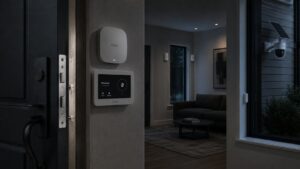
Brinks has moved toward fully customizable security setups rather than rigid boxed plans. A security consultant builds your system around your home, but most builds start from familiar pieces: a touchscreen control panel, door and window sensors, motion detectors, and a yard sign with stickers. From there you add smart home devices, smart locks, smart thermostats, and security cameras.
On the camera front, Brinks security cameras cover the basics well. There’s a SkyBell video doorbell shooting 1080p HD, an indoor 1080p camera, and an outdoor camera with sharper image quality. You can view security camera footage straight from the app, use two-way talk through the doorbell, and store clips in the cloud on higher-tier plans. Brinks runs largely on the Alarm.com platform, which is why the home automation and smart home integration feel polished instead of bolted on.
Treat your security equipment as a layered system, not a pile of gadgets. Good coverage watches your perimeter first, alerts you second, and records everything for later. Home security cameras at every approach give you situational awareness day or night. Wireless security cameras make placement easier in spots a wired run can’t reach. Security cameras for home use have come a long way, and the right setup means you see trouble coming instead of waking up to it.
How the Brinks Home App and Smart Features Work
The Brinks Home app is your command center. Arm and disarm the system, lock or unlock doors, check live camera feeds, and get push alerts the second something trips. It works fine on iPhone and Android. It’s not the flashiest security app on the market, but it’s stable and does what matters. One honest note: the Brinks home security app only works with Alarm.com-based monitoring plans, which is the standard Brinks setup anyway.
Smart home integration is a genuine strength. Brinks ties into Alexa and Google Home, so you can fold the system into voice routines and the smart speakers you already own. Add smart locks, smart plugs, and thermostats and you’ve got security and automation under one roof. Apple users should know there’s no HomeKit support, so factor that in if you’re deep in that ecosystem. For everyone else, the smart home features are a real plus and one reason Brinks ranks among the top security systems for Google Home.
How Much Does Brinks Home Security Cost?
Here’s the part Brinks won’t put on its website. Equipment and installation typically land around $430 to $800 up front, depending on how much gear you choose. The touchscreen panel alone runs about $349, so hitting the $500 equipment threshold happens fast once you add sensors and a camera.
Brinks home security cost isn’t fixed, because pricing depends on the system your sales rep builds. They don’t publish rates, which is why a real number means a phone call with a Brinks sales representative. The upside of all that customization is you only pay for what fits your home. The downside is opaque pricing, which feels dated in 2026 when DIY brands list everything online.
How Much Is Brinks Home Security per Month?
Monthly monitoring generally falls between $39.99 and $49.99, and some quotes climb higher depending on equipment. The tier ties to your gear, not a menu you pick from. A sensors-only system sits near $39.99. Add smart home devices and you move up to roughly $44.99, which unlocks integrations like Google Home. Add any cameras or a video doorbell and you’re at the top tier, often $49.99 or more.
For context, the industry average for monitoring runs about $25 to $50 per month, so Brinks sits at the higher end of that band. That’s in line with premium professionally monitored security from ADT and Vivint, but well above DIY options. There’s also an optional Brinks Home Plus extended warranty billed monthly, plus a discounted Brinks technician visit fee for repairs. Run the three-year math before you sign. Even at the base monitoring rate, you’re looking at well over a thousand dollars across the contract before equipment.
Who Is Better, ADT or Brinks?
This is the heavyweight matchup, since Brinks home and ADT are both long-standing, contract-based, professionally installed security systems. On price, ADT usually wins the entry point, with monitoring that can start lower than Brinks, around the mid-$20s per month in some plans. ADT also offers a longer money-back window and video verification, where the monitoring center confirms a threat on camera before dispatching police. Brinks doesn’t lean on video verification the same way.
Where Brinks pushes back is customization and smart home flexibility. You build your system piece by piece, and the Alarm.com backbone gives clean app control and automation. Reviewers often give ADT the slight overall edge for reliability and pricing, but it’s close. If you want the widest dealer network and video-verified dispatch, ADT leads. If you want a tailored, smart-home-friendly build under a trusted name, Brinks holds its own.
How Does Brinks Compare to Vivint, SimpliSafe, Ring, and Frontpoint?
Brinks vs the field comes down to one question: do you want hands-off pro install or DIY freedom? Vivint is the closest cousin, another premium, contract-or-financing provider with slick 4K cameras and strong automation, priced right alongside Brinks. The two trade blows, and Vivint’s no-contract option when you buy equipment outright is a point in its favor.
SimpliSafe and Ring sit on the DIY side. They’re cheaper, contract-free, and you install them yourself. SimpliSafe monitoring runs far below Brinks, and Ring leans on Amazon’s ecosystem and budget cameras. Frontpoint is the interesting middle: it also runs on Alarm.com like Brinks, but ships DIY. The honest takeaway is that Brinks justifies its price through professional installation and a deep, customizable system, but budget-focused buyers and renters often get comparable monitoring for less from the DIY crowd. Knowing the best home security systems in each lane helps you pick the right tool for your threat model, not just the loudest brand.
Is Brinks Home Security Owned by ADT?
No. Brinks home security is not owned by ADT, and the two are separate security companies. You’ll see old claims that Brinks merged with ADT years back, but the current residential Brinks Home brand operates independently. The confusion makes sense, since both are veteran names in the same space and get compared constantly. Brinks home and ADT are rivals, not relatives.
The deter, delay, and detect logic both brands sell is similar, but the corporate ownership is not shared. If a sales pitch implies Brinks and ADT are the same operation, treat that as a red flag and ask direct questions.
Who Owns Brinks Home Security?
The residential Brinks Home business is run by the company formerly known as Monitronics International, which licenses the Brinks trademark for home security. It has operated under parent ownership tied to Ascent Capital Group, and on paperwork you may see the legal entity BH Security, LLC doing business as Brinks Home™. The short version: it’s the old Monitronics operation wearing the Brinks name by license.
This is also why the brand isn’t connected to the armored-truck Brinks you picture. Two different businesses, one famous name. None of that changes the service you receive, but know exactly who you’re contracting with before you read the fine print.
Is Brinks Home Security Still in Business?
Yes, Brinks Home is very much still in business. The company went through a rough financial stretch and a bankruptcy reorganization in 2019, which fuels the occasional “did Brinks go under?” question. It came through that process and kept operating, and it still serves more than a million customers today.
So if you’re worried about signing up with a security business that might vanish, that’s not the concern here. Brinks remains one of the larger, established home security providers in North America, with active monitoring centers and current Alarm.com hardware.
How to Cancel Brinks Home Security
Cancelling Brinks means calling their team directly. You can reach Brinks Home Security customer service at 800-447-9239 (a commonly listed retention line is 469-391-4024). There’s typically a 30-day cancellation process, and you’ll usually be emailed a form to sign to confirm. Get everything in writing and ask for written confirmation of your final bill.
The catch is the contract. If you’re still inside your three-year term, you’ll likely owe an early termination fee, often a large chunk of your remaining balance. If you’re month-to-month after the contract ends, cancelling is far cleaner with no penalty. Read your specific agreement before you call so you know exactly what you’re walking into. Keep your Brinks Home Security login handy too, since some account changes route through the customer portal.
How to Turn Off a Brinks Home Security System
Turning the system off day-to-day is simple. Disarm it from the touchscreen control panel with your passcode, or tap disarm in the Brinks Home app. That’s the normal way to silence an alarm or clear a trip when you walk in your own door.
Fully powering down a panel is a different animal, and it’s not something to do casually. The system is built to stay live on battery backup even during outages, which is exactly what you want from a hardened setup. If you need to shut it down completely, because you’re moving or troubleshooting, call Brinks support and let a technician walk you through it. Pulling power on your own can send a signal to the monitoring center and trigger a response you didn’t intend.
Brinks Home Security Careers and Customer Support
Brinks is a sizable employer in the security industry, and it lists Brinks Home Security careers across monitoring, field technician, sales, and corporate roles on its official site. If you’re job hunting in this field, it’s a real option with a recognizable name behind it.
For existing customers, support runs through the same channels: the Brinks Home Security login on the website and app for account management, plus phone, chat, and text for service. Keep the Brinks Home Security phone number saved, know your login, and remember that a Brinks technician handles installs and most repairs. Reviews on customer service are genuinely mixed, so document your interactions and keep records of any promises made during your sales call.
The Bottom Line on Brinks
Brinks Home is a legitimate, capable home security company that earns its reputation on reliable monitoring and a flexible, smart-home-friendly system. It’s not the cheapest, and the long contract is a commitment, so it rewards homeowners who want professional install and plan to stay put. More important, it’s a deterrent that does its best work before anyone ever tests your door. Match it against ADT, Vivint, SimpliSafe, Ring, and Frontpoint, weigh your own situation, and let your home and your plan decide, not the brand name.
Key Things to Remember
- Deterrence first: A visible, professionally monitored system makes intruders move on to a softer target, which keeps you out of any Castle Doctrine or Stand Your Ground decision in the first place.
- Brand vs. business: Brinks Home licenses the famous Brinks name; it’s the former Monitronics, separate from the armored-truck company and not owned by ADT.
- Cost: Expect roughly $430 to $800 up front for equipment and install, plus about $39.99 to $49.99 per month for professional monitoring.
- Contract: Most plans require a three-year agreement with early termination fees, so budget for the full term.
- Equipment: Runs on Alarm.com with a touchscreen panel, sensors, and HD security cameras including a video doorbell, all controlled through the Brinks Home app.
- Smart home: Works with Alexa and Google Home, but no Apple HomeKit support.
- Always on: Cellular and battery backup keep the system protecting your home during outages.
- Cancelling: Call customer service, expect a 30-day process, and watch for termination fees if you’re still under contract.
- Shop the field: Compare Brinks against ADT, Vivint, SimpliSafe, Ring, and Frontpoint to match the right system to your home and budget.